Confirming residence information on VNeID has become a fast and reliable solution in today's era of digital administration, where all personal data is standardized and synchronized in the national system. With the VNeID app, citizens no longer need to bring paperwork to the police station or wait for traditional processing. Instead, the entire procedure can be completed right on your phone with high accuracy — anyone can do it.
1. Benefits of confirming residence information via VNeID
Using VNeID to confirm residence information brings clear advantages for citizens handling administrative procedures:
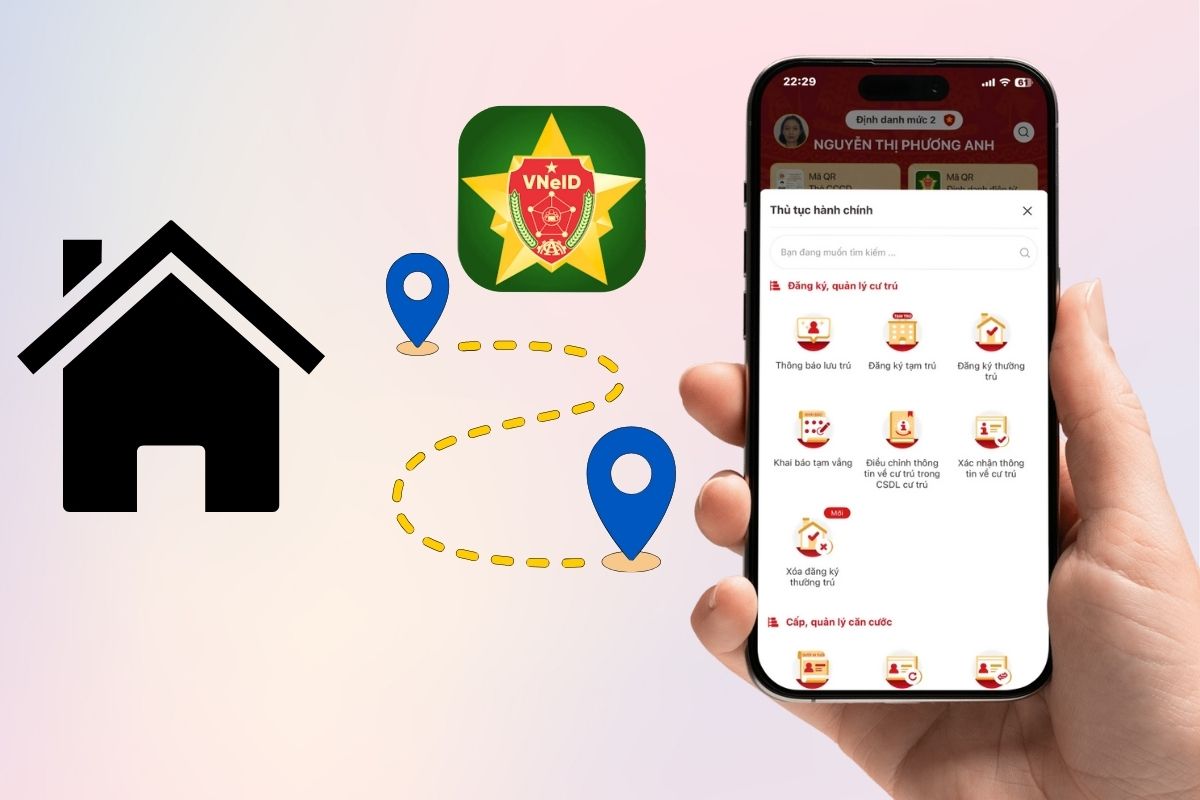
- Significantly reduces travel and waiting time at the police station, since everything is done online on your phone.
- Limits incorrect declarations because personal data is automatically checked against the national population database, ensuring high accuracy.
- Lets you follow the processing status in real time, so you know when your request is received, approved, or needs additional information.
- Gives citizens more control over their residence information — you can check, update, or request corrections quickly.
- Increases transparency, as all information is stored and displayed clearly, giving users peace of mind.
2. Steps to follow
The process is quite simple — as long as you have a Level-2 electronic identification account, you can use all the functions.
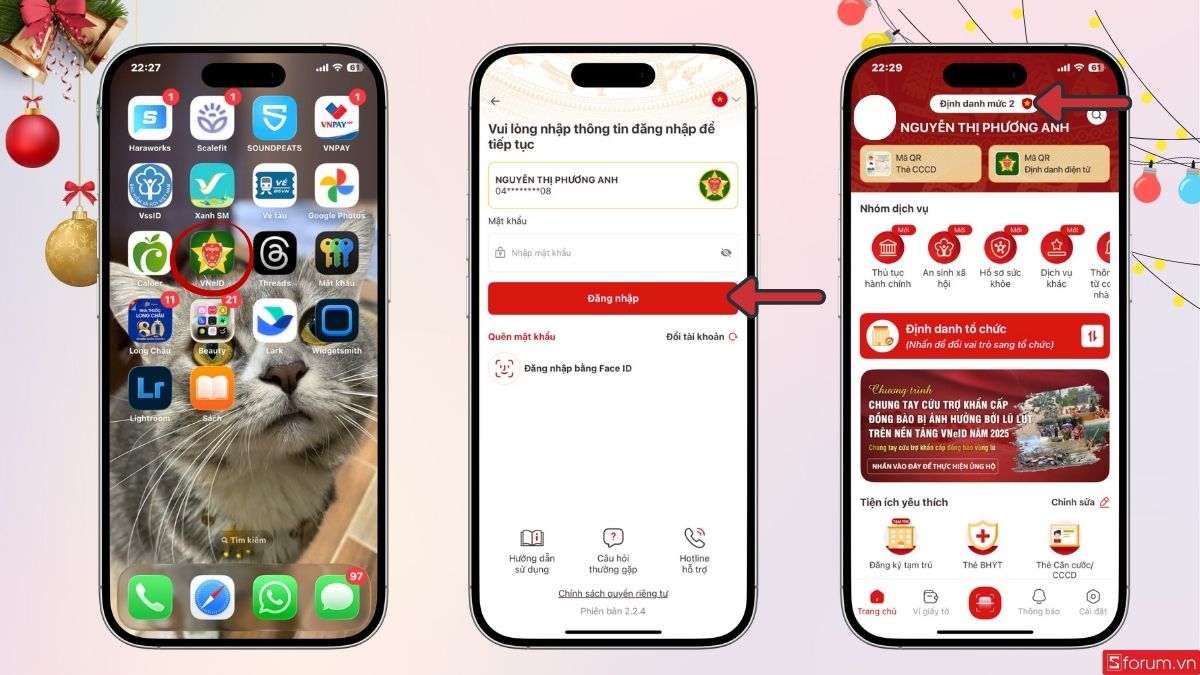
Step 1: Sign in to VNeID with a Level-2 electronic identification account
Before starting, sign in with a VNeID account verified at Level 2. This level gives access to online public services and requests involving personal data. If your account is only Level 1, upgrade it at the police station or an authorized service point.
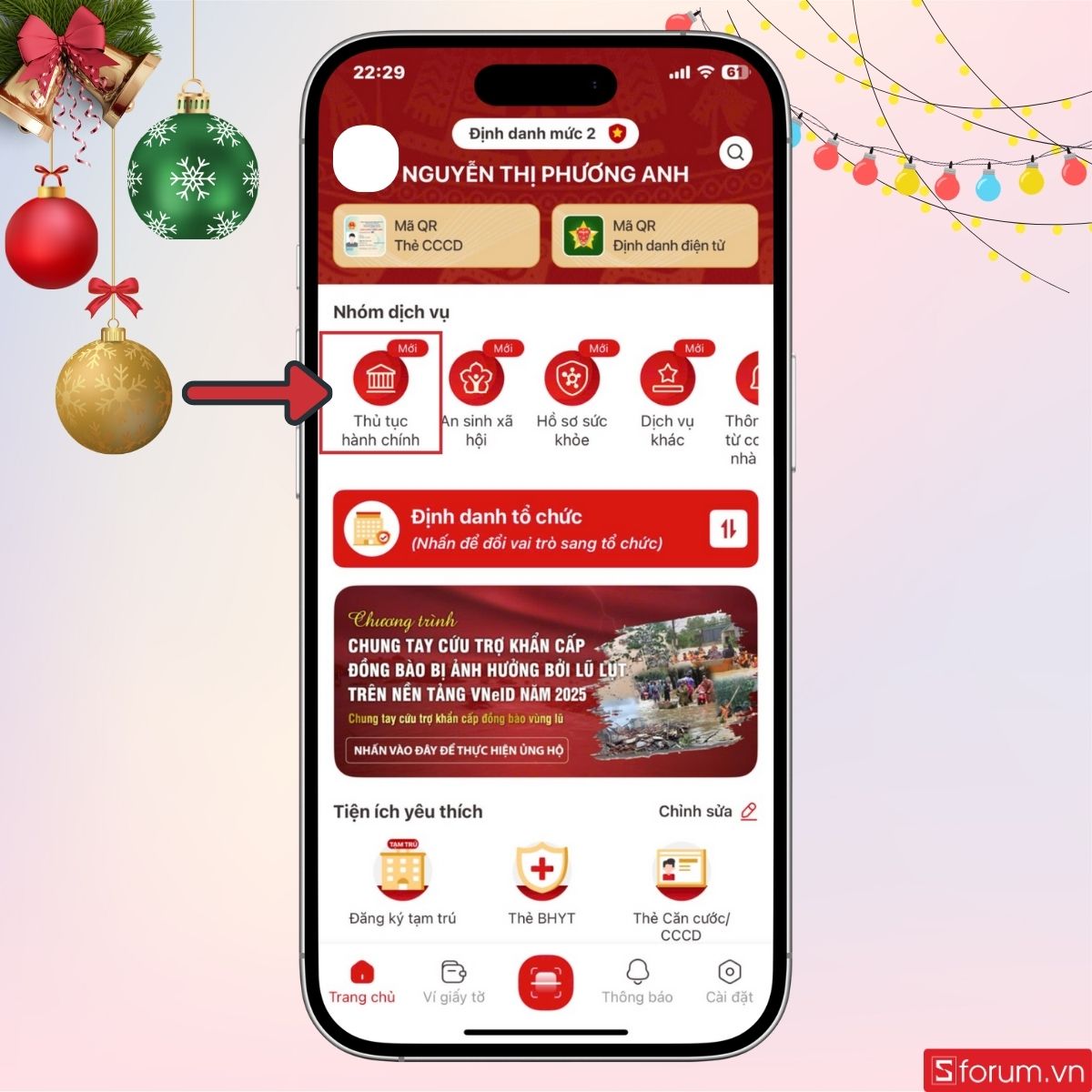
Step 2: Select “Administrative procedures”
After signing in, go to the app's main screen and select “Administrative procedures”.
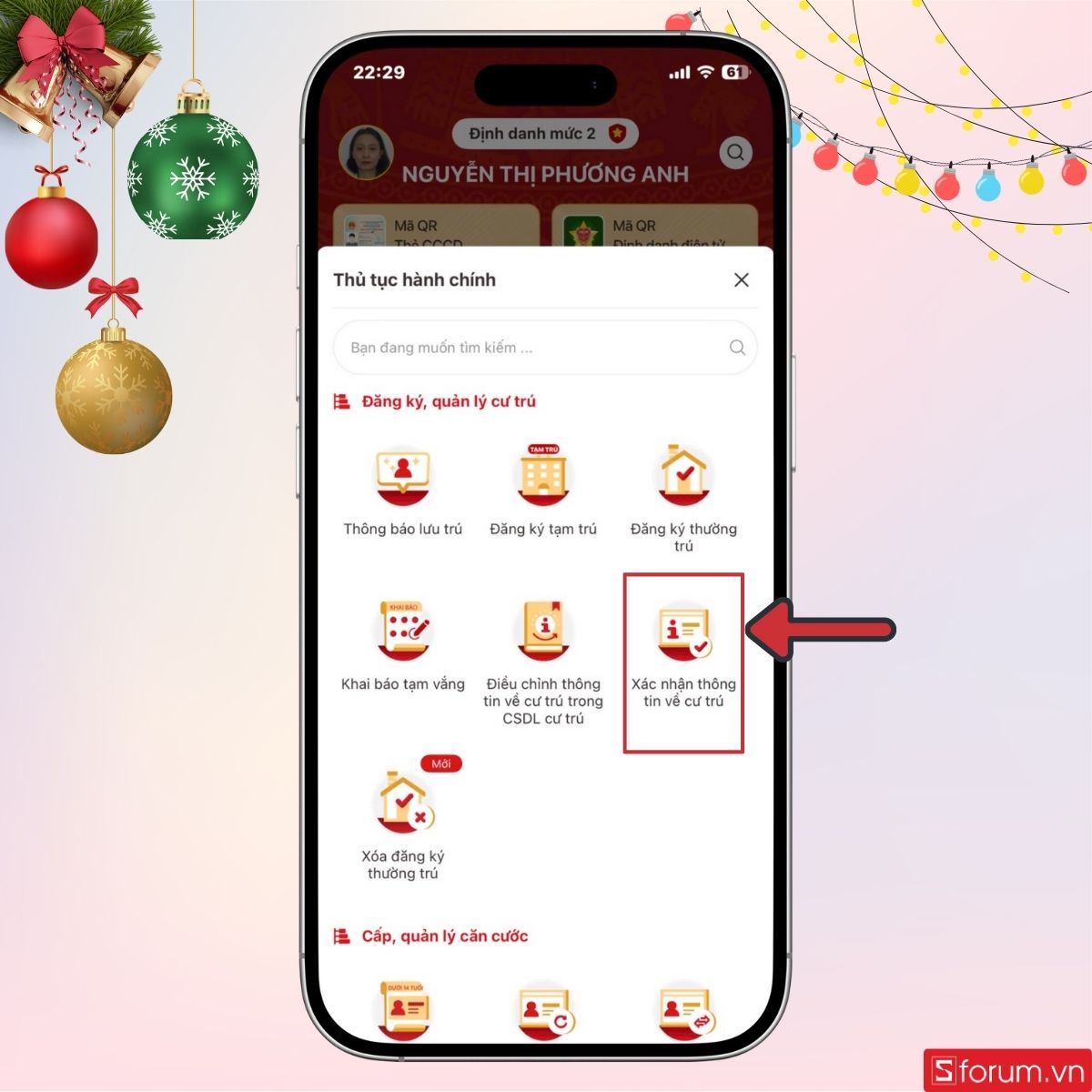
Step 3: Find and select “Residence information confirmation”
In the list of available services, select “Residence information confirmation”.
Then enter your passcode to continue.
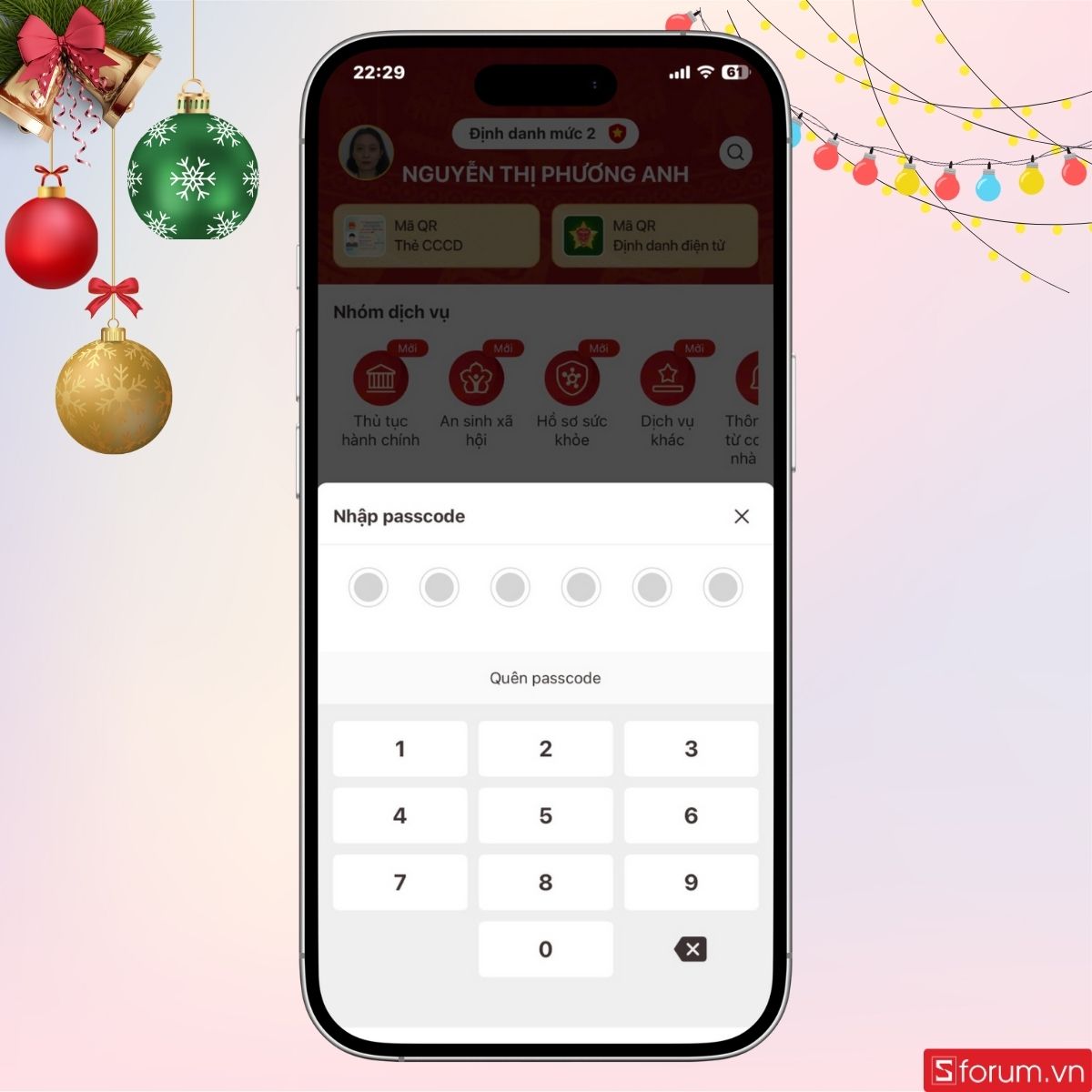
The residence information confirmation screen looks like this.
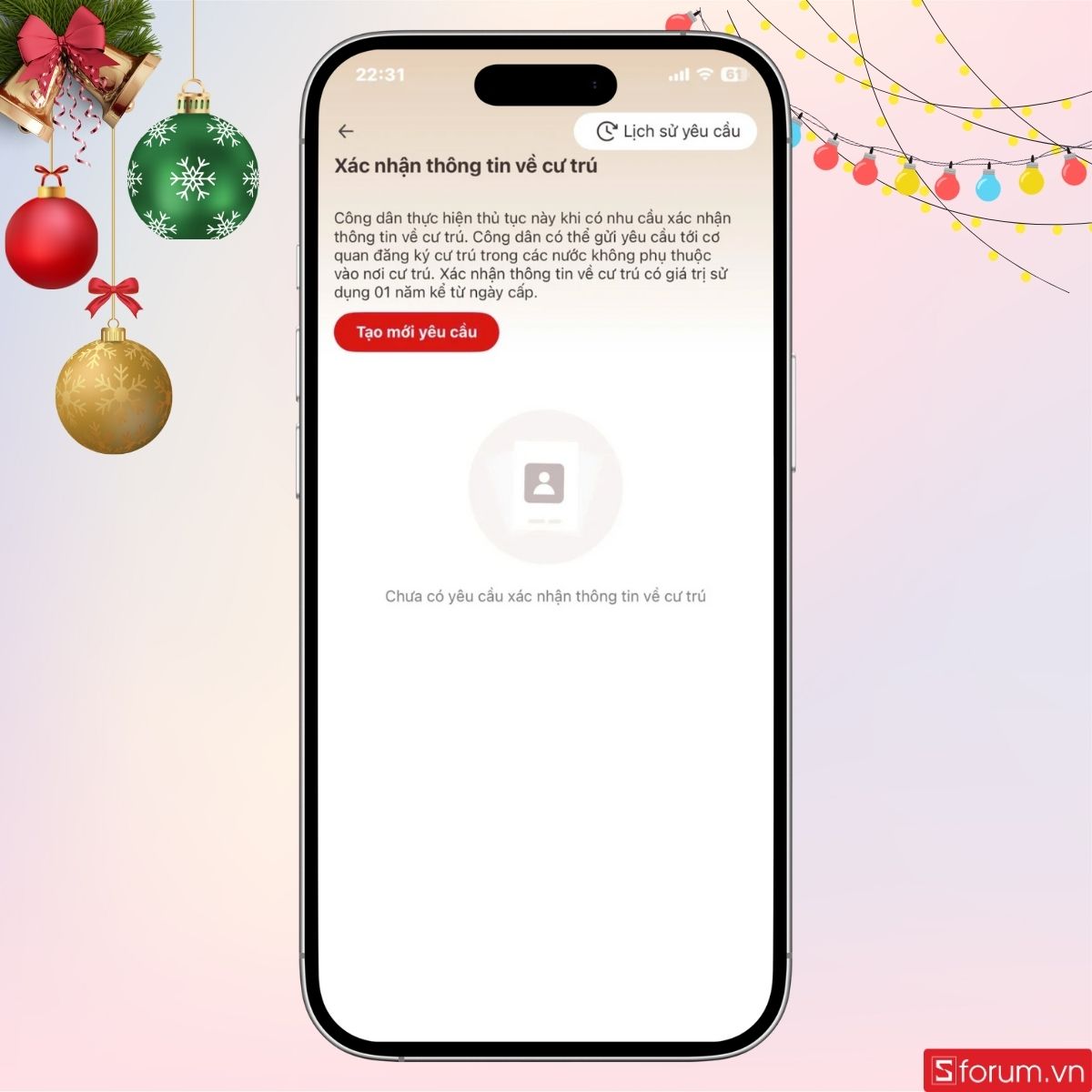
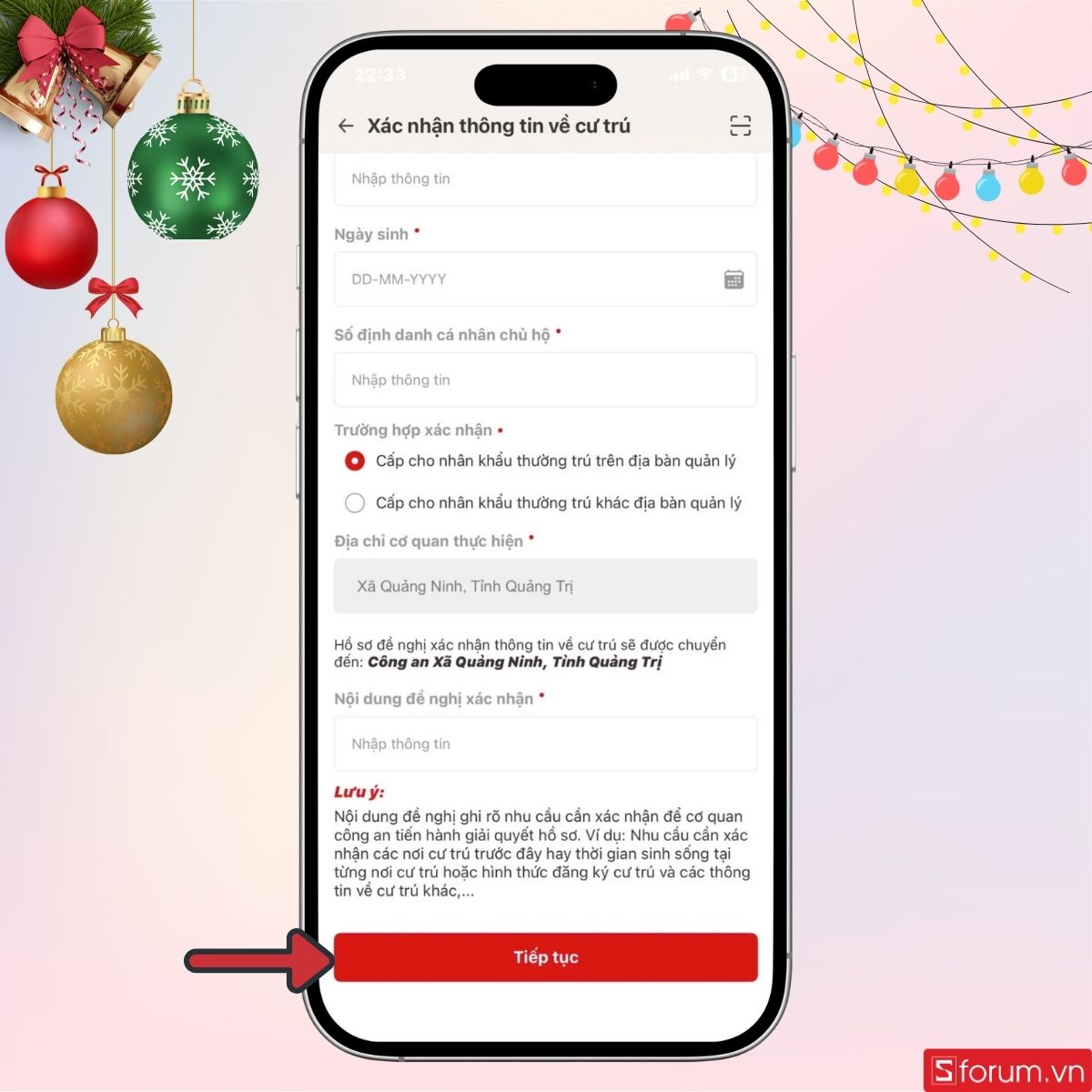
Step 4: Fill in all required information
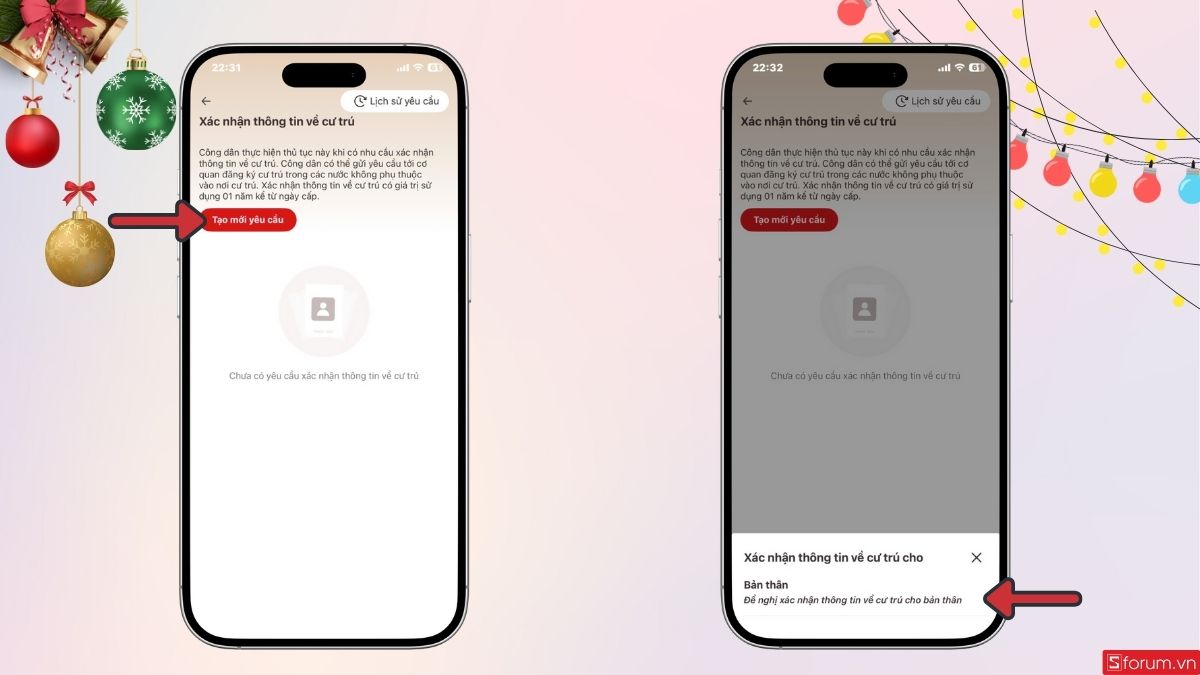
When the form opens, tap “Create new request”, then choose “Request residence information confirmation for yourself”.
Enter all required details: full name, personal identification number, residence address, the content to be confirmed, and other related information. Filling in the data correctly and completely is essential for quick approval. Before submitting, double-check every field to avoid errors.
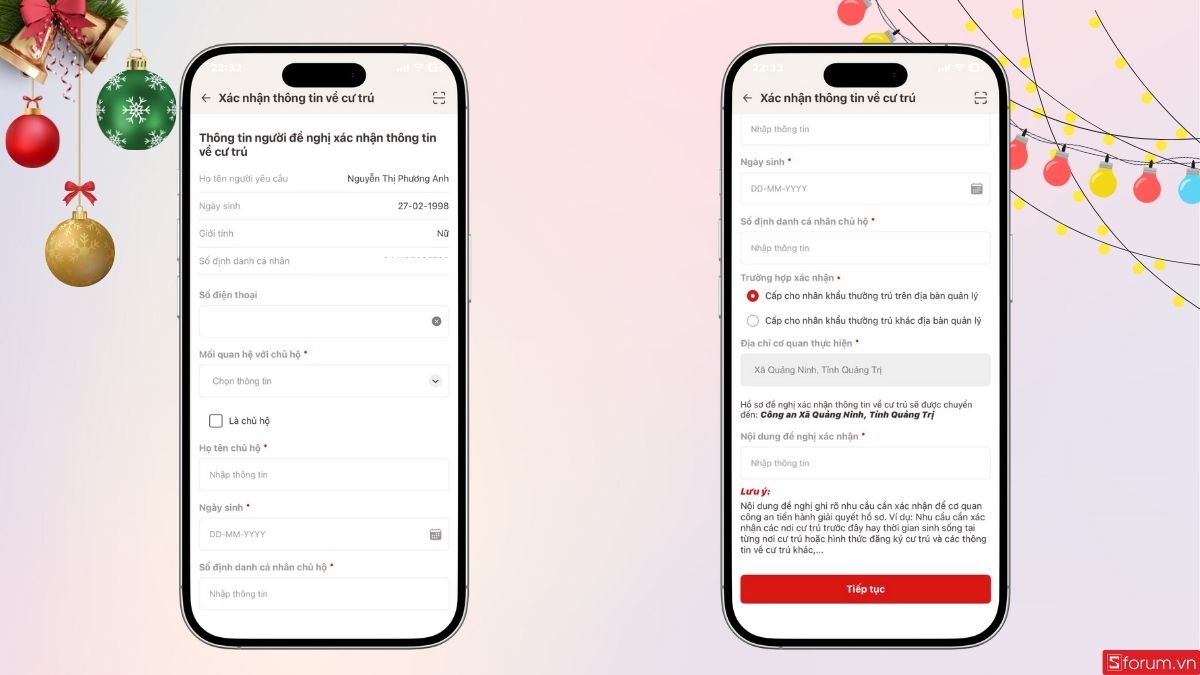
Step 5: Submit the request and wait for approval
Once the form is complete, tap “Continue” and follow the processing status in the app. The system updates continuously, from receipt to approval. If additional documents or information are needed, the app will notify you directly so you can update promptly.
3. Important notes

- Your VNeID account must be upgraded to Level 2 before submitting a request — this is required for electronic administrative services.
- Check your residence address carefully, especially house number, street, ward/commune, and district, to avoid mistakes.
- Keep a stable Internet connection throughout the process to avoid submission errors or interruptions.
- Always update VNeID to the latest version to limit technical errors and make sure the forms display correctly.
- Save your confirmation history for later procedures such as temporary residence registration, loans, job applications, or updating personal records.
Confirming residence information on VNeID is an important step in digitizing administrative procedures, helping citizens access residence services faster, more accurately, and more conveniently. With just a few simple steps, you can complete the whole process right on your phone.