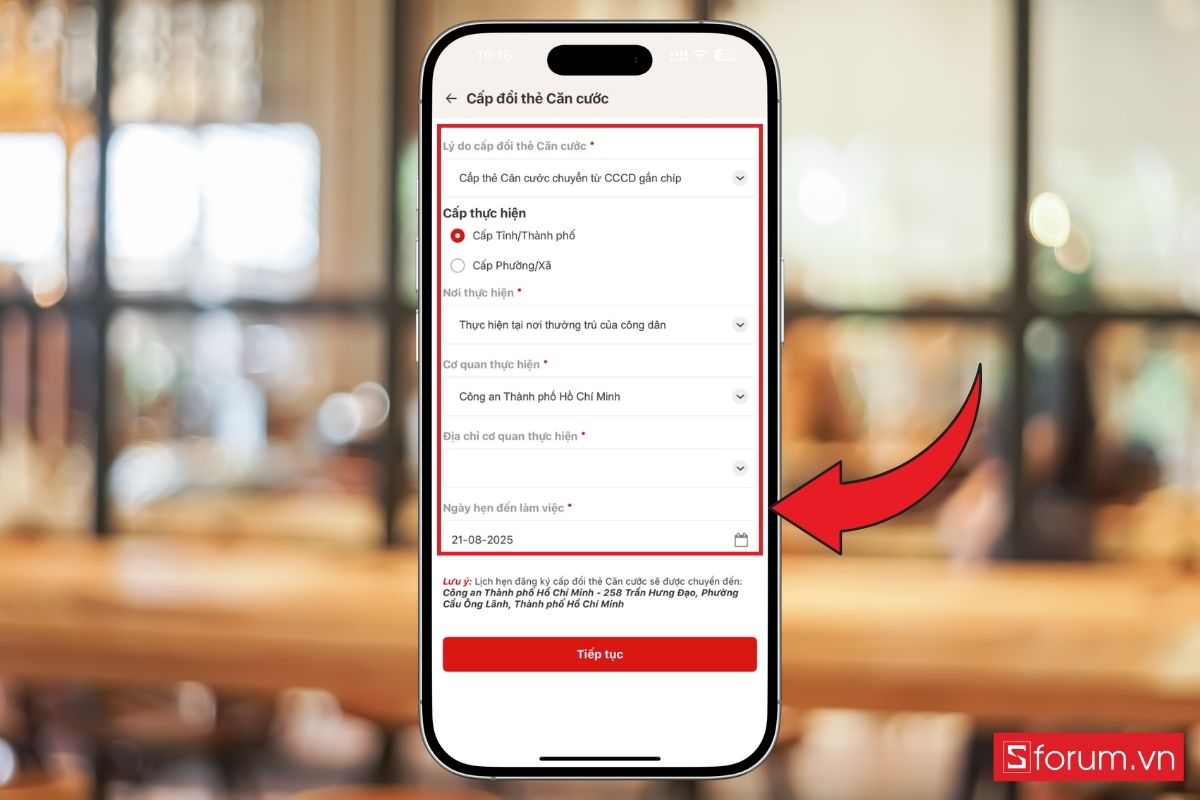
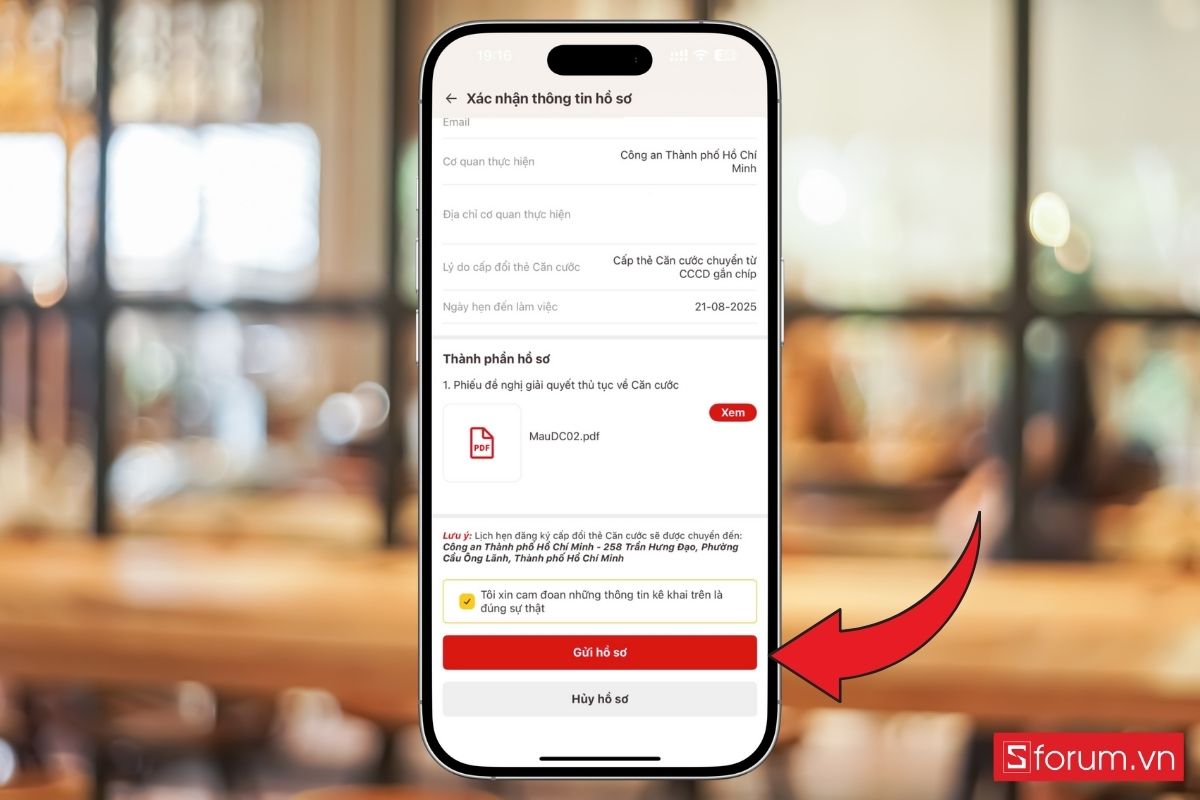
Guide to issuing an ID card for persons aged 14 and above on VNeID. The flow is similar to renewal/new issuance: sign in, open administrative procedures, create a request, check information, and submit.
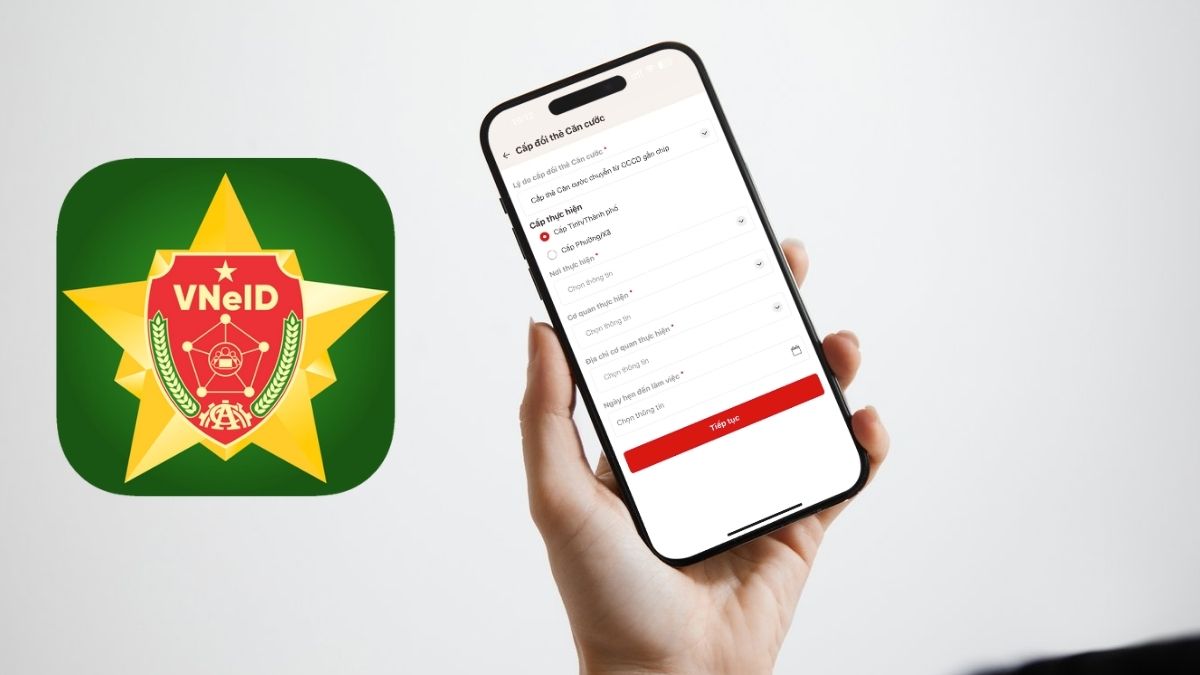
1. Benefits of using VNeID for ID cards
- Register a new or renewed card on your phone; data is taken from the national population database.
- Choose time and place for fingerprints and portrait photo.
- Some lost/damaged card or administrative-boundary change cases can be done online.
- Parents can apply for children under 6 via their own VNeID account.
2. Steps on VNeID
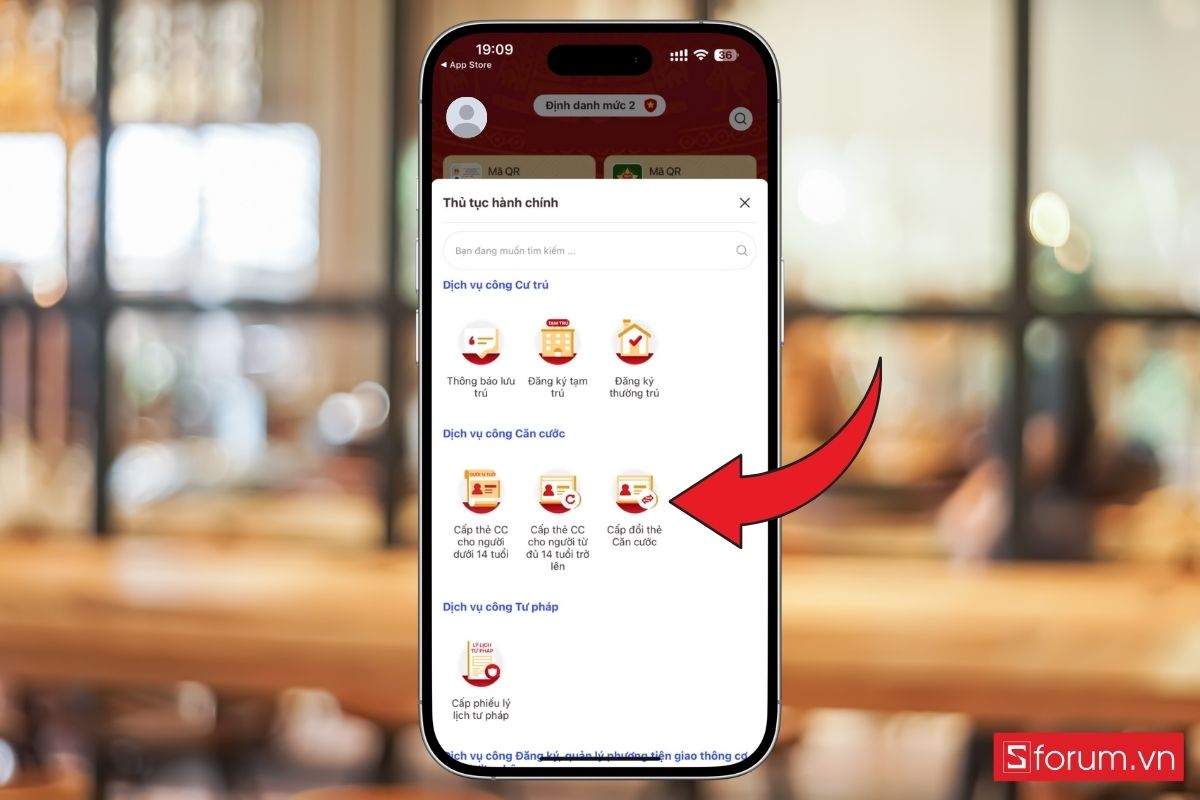
Step 1: Sign in and open Administrative procedures
Open VNeID with a Level-2 account and select Administrative procedures.

Step 2: Choose ID card renewal
Select the matching renewal procedure in the list.

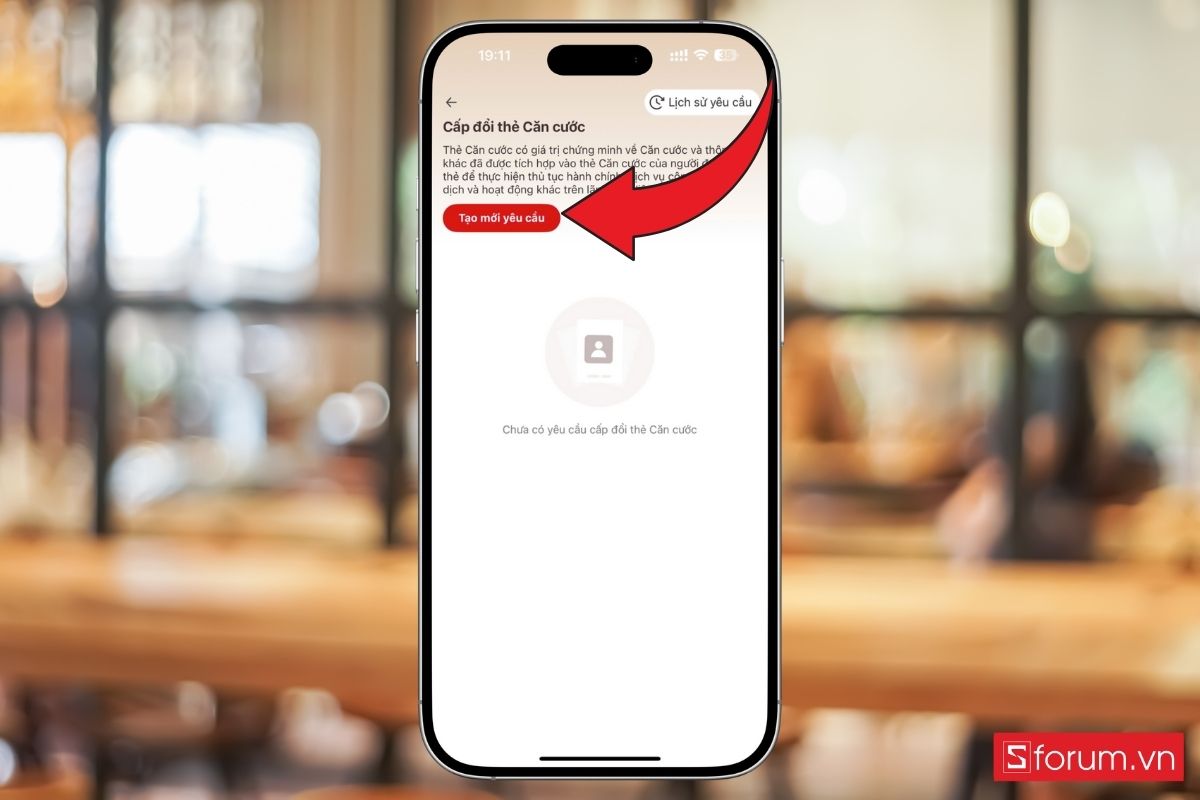
Step 3: Authenticate and create a request
Enter passcode / biometrics, then create a new request.

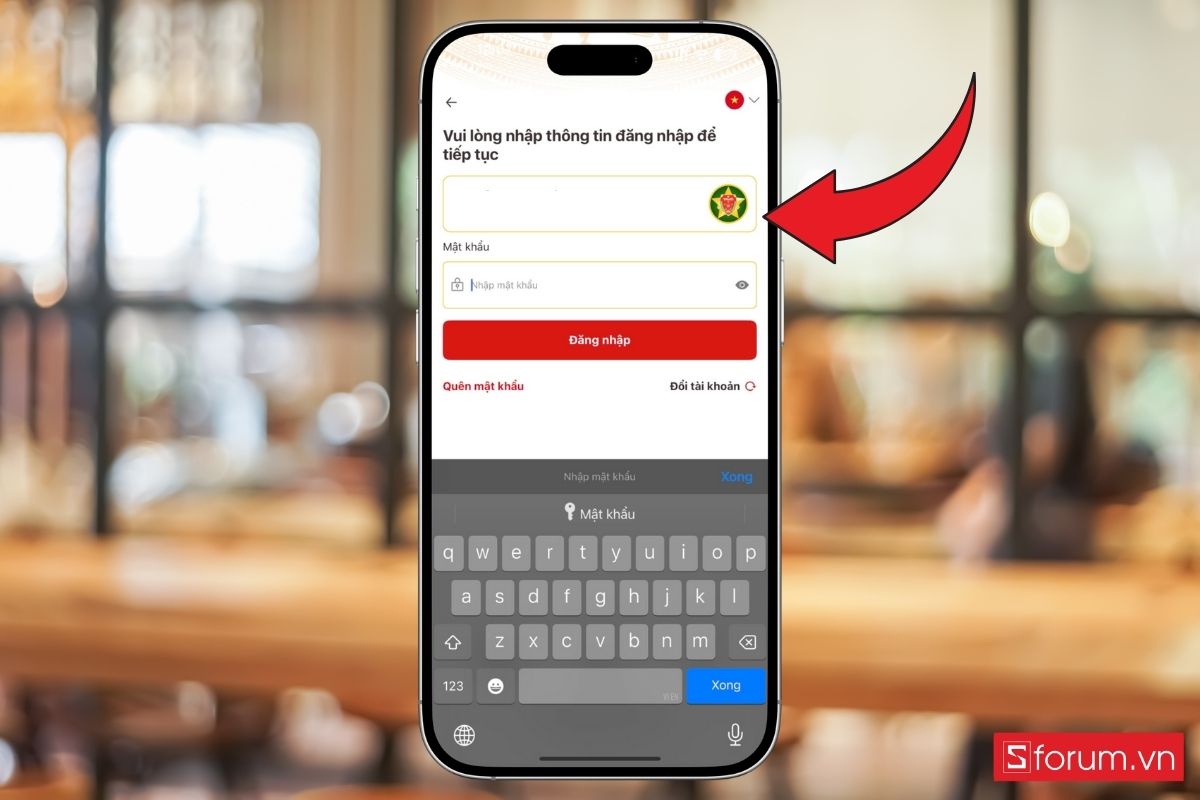
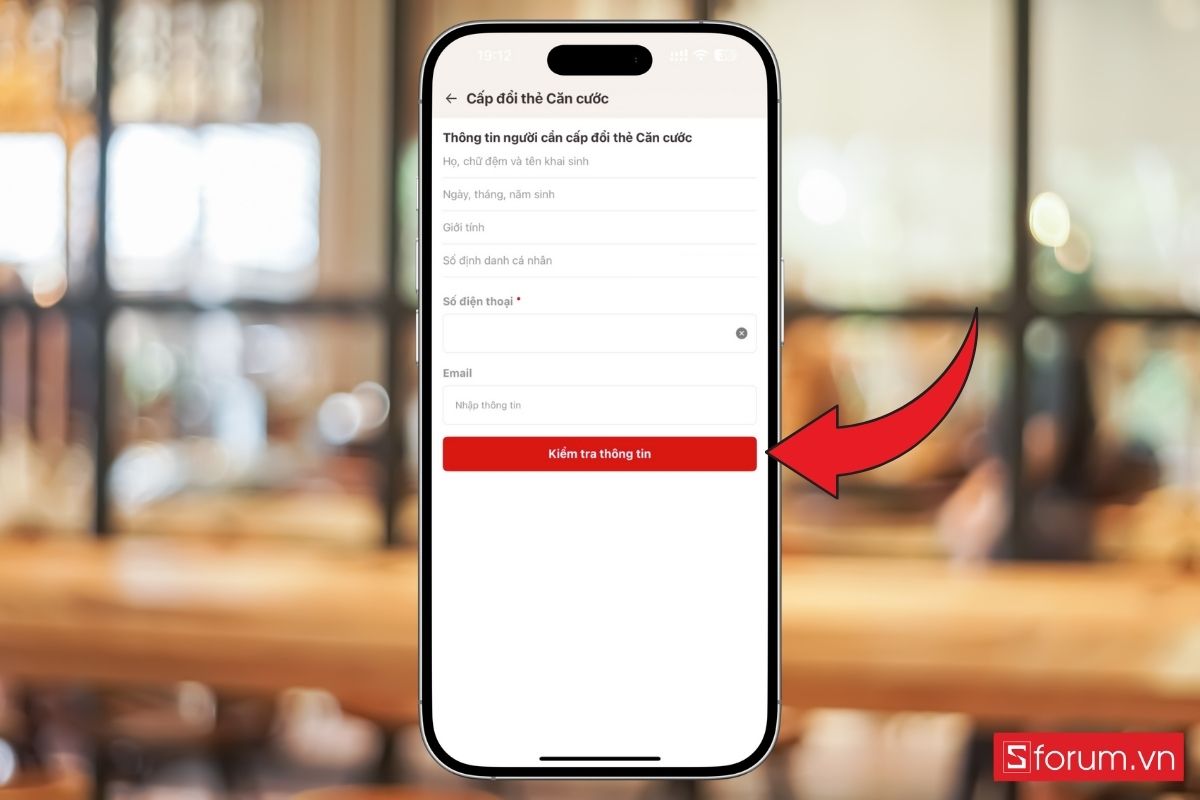
Step 4: Check information and attach documents
Review personal data, add the reason for renewal and documents if required.

Step 5: Choose reception place / appointment (if needed)
Select the police office and appointment time for biometrics if required.
Step 6: Confirm and submit
Review everything, declare the information is true, submit, and track status in request history.