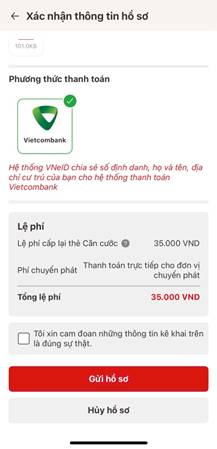
Guide to applying for reissuance of an ID card on VNeID:
Step 1: Sign in and choose the procedure
Open VNeID (Level 2) → Administrative procedures → Reissue ID card.

Step 2: Authenticate
Enter passcode or use biometrics.

Step 3: Create a reissuance request
Tap Create new request. Choose reissue for yourself or for someone else.


Step 4: Check the person’s information
Verify details of the person needing a reissued card, then continue.
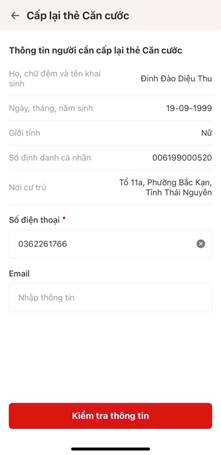

Step 5: State the reason and submit
Select the reason (lost, damaged, etc.), attach documents if asked, submit, and track the result in the app.