From 17 March 2025, citizens nationwide can register permanent residence on VNeID. Registering through VNeID helps you manage personal information and update your place of residence conveniently.
Before starting, download or update VNeID to the latest version (App Store / Google Play). Steps to register permanent residence on VNeID:
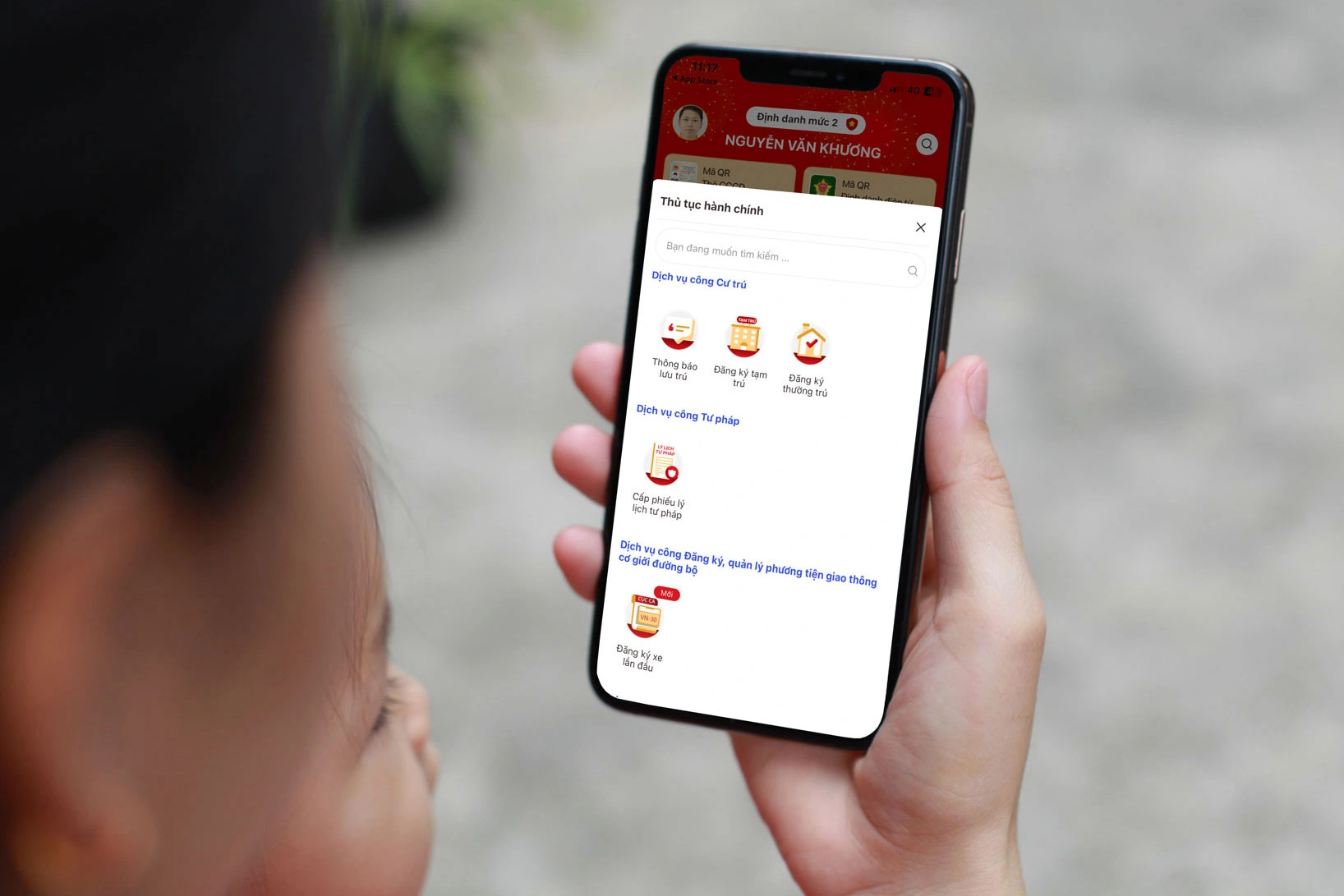
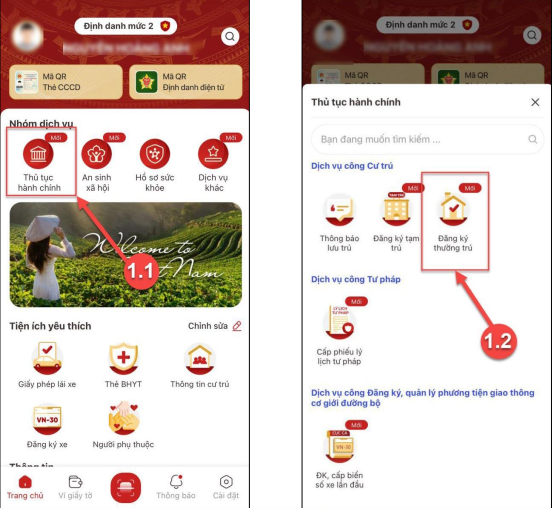
Step 1: Open the function
Sign in to VNeID → Select “Administrative procedures” → Choose “Permanent residence registration”.
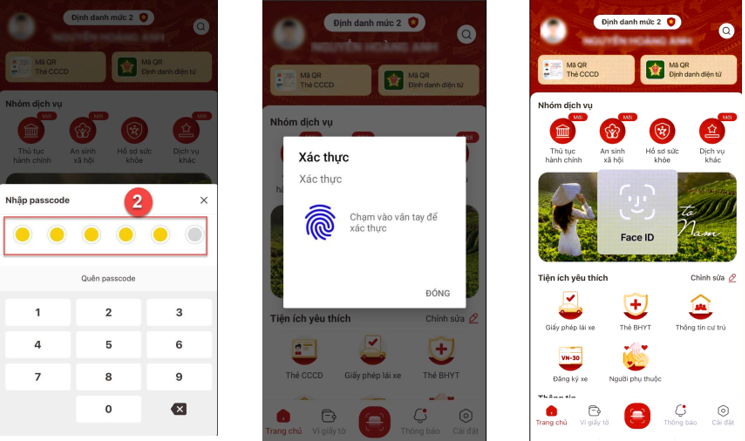
Step 2: Authenticate with passcode / biometrics
Enter your passcode or use fingerprint / Face ID. If you forgot the passcode, tap “Forgot passcode” (more than 5 wrong attempts may lock you until the next day).
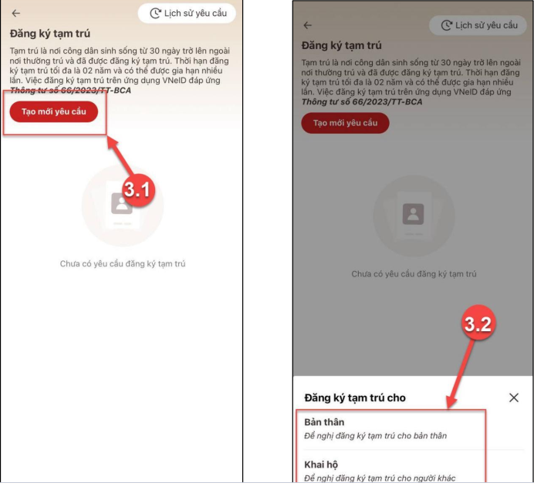
Step 3: Create a new request
On the Permanent residence screen, tap “Create new request”. Choose “Myself” or “On behalf of someone”.
Step 4: Fill in permanent residence details
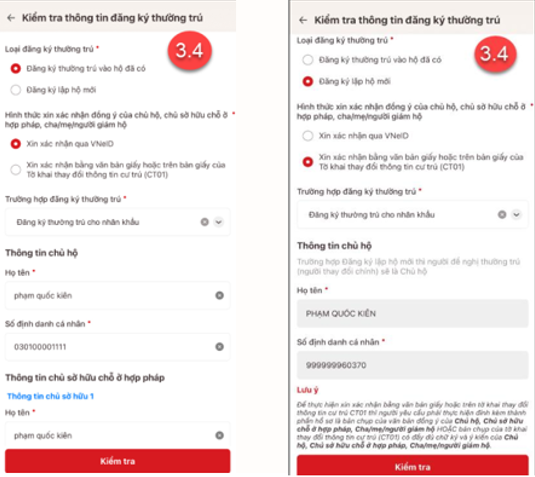
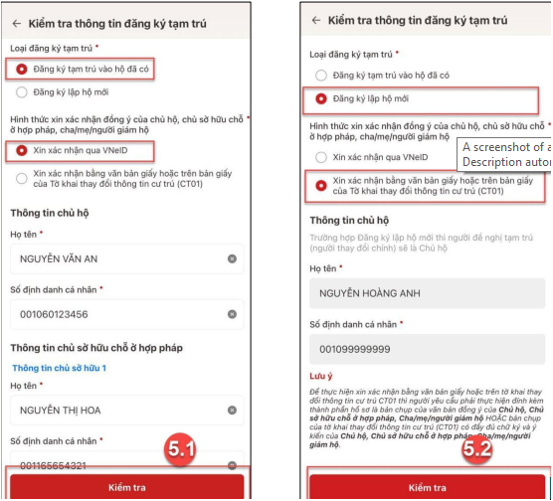
Complete required fields. Choose how the household head / lawful residence owner (and parent/guardian if under 18) will consent — via VNeID or CT01 form. Then enter their full name and personal ID number.
Step 5: Choose the registration place
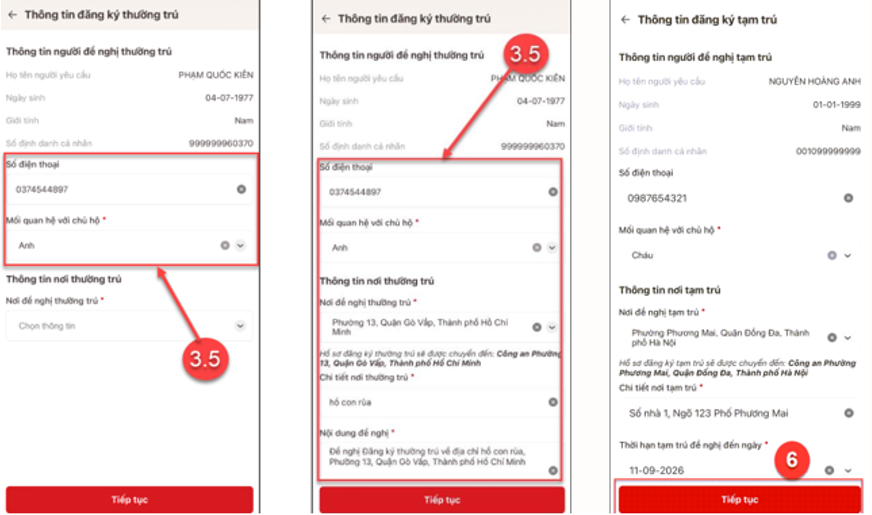
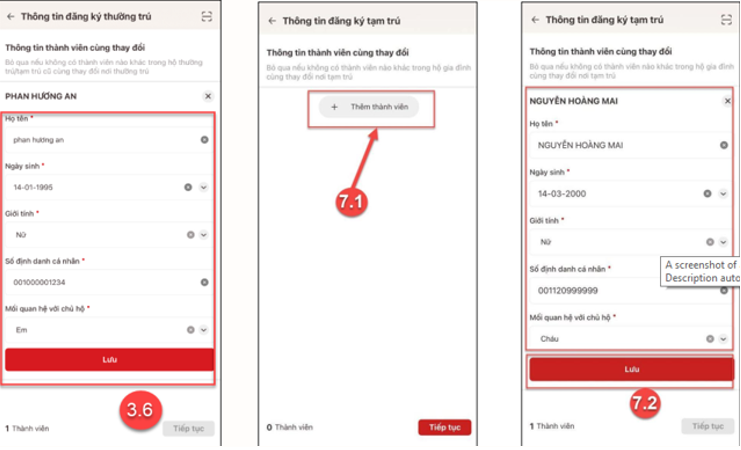
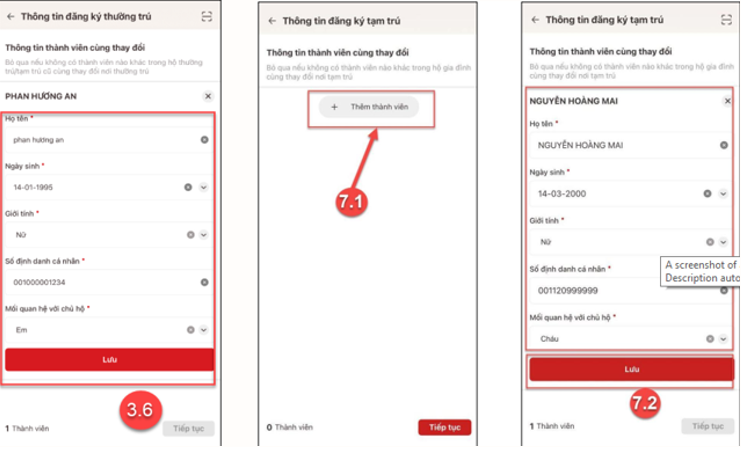
Select province, district, then commune/ward. Enter address details and relationship to the household head. Use “Add member” if others register with you.
Step 6: Review and submit
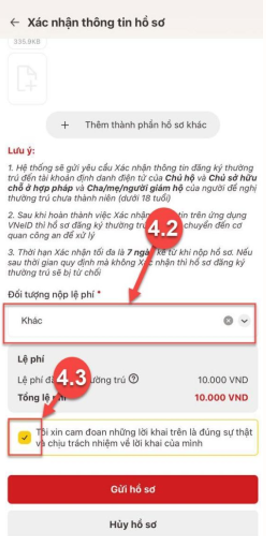
Review the file, attach related documents, choose how to receive the result, tick the truth declaration, then tap “Submit file”.
Step 7: Pay the fee (if any)
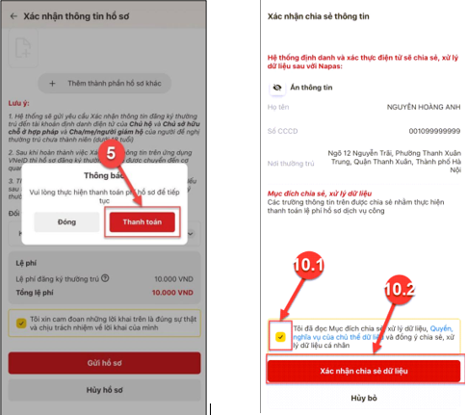
Skip if no fee applies. Pay by domestic card, bank account, or QR. Track status under Permanent residence registration → Request history.
Note: Permanent residence is where a citizen lives stably and long-term and has registered permanent residence, either at a place they own or a lawful place with the household head/owner’s consent.